How to Set Up Your Google Business Profile as a UK Tradesperson (Step by Step)
Setting up your Google Business Profile is the first step any UK tradesperson should take to get found online, and knowing how to set up a Google Business Profile as a tradesperson in the UK takes less than 30 minutes if you follow the right steps. This guide walks you through the full process, from creating your account to verifying your listing and getting it live on Google Maps.
If you’re not sure what a Google Business Profile is or why it matters, read this first.
TL;DR:
Go to business.google.com, sign in with a Google account, add your business name and category, set your service area, add your phone number, and request verification. Verification usually takes a few days. Once verified, your listing goes live on Google Maps and in local search results.
Contents
- What you need before you start
- Step 1: Sign in to Google Business Profile
- Step 2: Add your business name
- Step 3: Choose your business category
- Step 4: Set your location or service area
- Step 5: Add your phone number and website
- Step 6: Request verification
- How long does verification take?
- What to do as soon as you’re verified
- FAQ
What You Need Before You Start
You don’t need much. Before you begin, make sure you have:
- A Google account. This is a Gmail address or any email linked to Google. If you don’t have one, you can create one for free at accounts.google.com. Use one you’ll remember and have long-term access to, not a temporary address.
- Your business name as it appears on invoices, your van, and anywhere else you trade.
- Your phone number (the one you want customers to call).
- Your service area (the towns, postcodes, or counties you cover, or your business address if customers come to a fixed premises).
- A website URL, if you have one. If you don’t, leave this blank for now. You can add it later.
One important point before you start: search Google for your business name first. Some tradesperson listings already exist on Google Maps, created automatically from public data. If yours does, you’ll claim it rather than create a new one. The process is slightly different but quicker.
Step 1: Sign In to Google Business Profile
Go to business.google.com and click Manage now. Sign in with your Google account.
If Google finds an existing listing that matches your business name and area, it will show it to you. If that listing is yours, click Claim this business and follow the steps to verify ownership. If nothing comes up, click Add your business to Google to start a fresh listing.
Step 2: Add Your Business Name
Type your business name exactly as you trade. This is what customers will see on Google Maps, so it needs to be accurate.
A few things to avoid here. Don’t add your location to your business name (for example, “Dave’s Plumbing Leeds”) unless that’s your actual legal trading name. Google’s guidelines say the name field should reflect your real-world name, nothing more. Adding keywords to your business name is against their rules and can get your listing suspended.
If your business name is “D. Harris Electrical”, that’s what goes in. Not “D. Harris Electrical Electrician Bristol”.
Step 3: Choose Your Business Category
This is one of the most important decisions in the setup process. Your primary category tells Google what your business does, and it directly affects which searches your listing appears in.
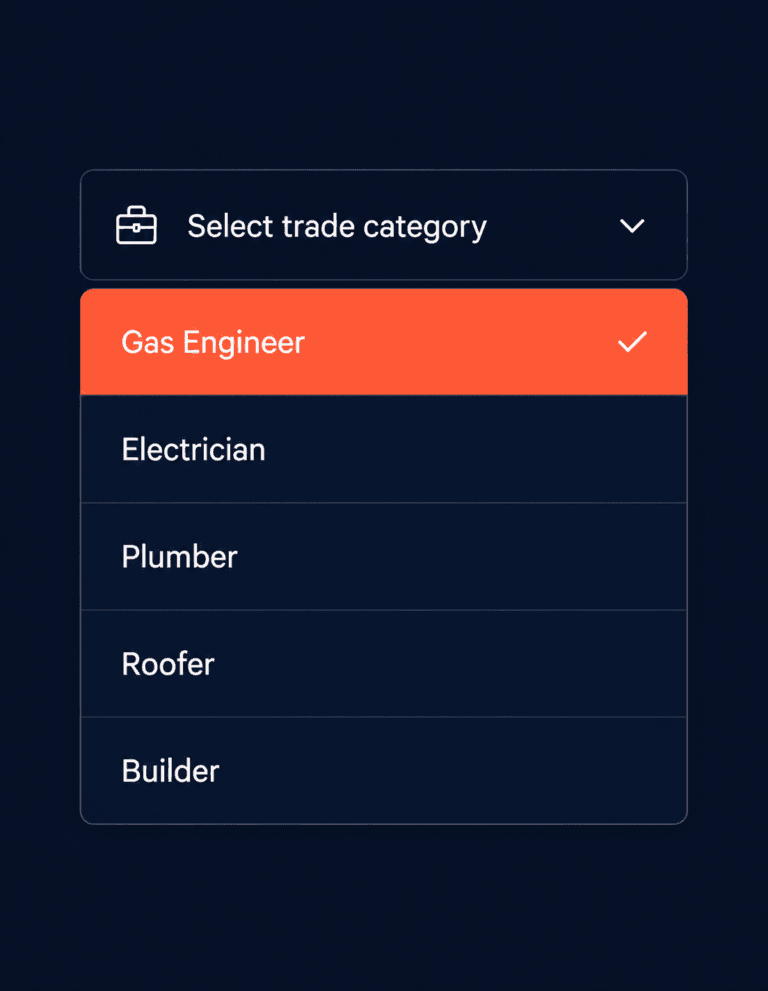
Choose the most specific category that matches your main trade. If you’re a gas engineer, “Gas Engineer” is more precise than “Plumber”. If you’re an electrician, “Electrician” is better than “Contractor”.
You’ll be able to add secondary categories later to cover other services you offer. But get the primary one right first. A plumber who sets their primary category as “Contractor” will be invisible to people searching for a plumber.
For a full breakdown of the best categories for each trade, see our guide to Google Business Profile categories for UK tradespeople.
Step 4: Set Your Location or Service Area
Here Google asks whether you serve customers at a physical location (a shop, showroom, or yard they can visit) or whether you travel to them.
For most tradespeople, the answer is service area business. Choose this option, then add the towns, postcodes, or counties you cover. You can enter up to 20 service areas.
Be realistic here. Google can tell if your stated service area doesn’t match where your reviews are coming from, and an oversized area can actually hurt your relevance in the searches that matter most. Cover the areas you genuinely work in.
If you do have a premises customers visit, you can show your address and still add a service area. Use the option that fits how your business actually works.
Step 5: Add Your Phone Number and Website
Add your main business phone number. This is what Google displays on Maps, so make sure it’s the number you want enquiries coming to.
If you have a website, add the URL here. If you don’t, skip it for now. A missing website won’t stop you from getting set up or verified, though having one does support your local ranking over time.
Double-check both fields before continuing. A wrong phone number on your Google Business Profile means customers who find you can’t reach you.
Step 6: Request Verification
Once your details are in, Google will ask you to verify the listing. Verification proves to Google that you’re the legitimate owner of this business and that it operates where you say it does.
Google currently offers several verification methods:
- Postcard by mail. Google sends a postcard to your business address with a 5-digit code. Enter the code in your profile to verify. Takes 5 to 14 days.
- Phone or text. A verification code is sent to your business phone number. Available for some accounts, not all.
- Email. A code is sent to a verified business email. Available in some cases.
- Video recording. Google may ask you to record a short video showing your premises or work vehicle. Increasingly common for service area businesses.
- Live video call. A Google representative verifies your business via video call. Used in some cases.
If you’re offered multiple options, phone or email is the fastest. If you’re a service area business with no fixed address, postcard won’t apply and Google will usually offer video or phone instead.
Select your verification method and follow the instructions. Don’t make any major changes to your profile while verification is pending, as this can reset the process.
How Long Does Verification Take?
It depends on the method. Phone and email verification can be done in minutes. Postcard verification takes 5 to 14 days for the card to arrive. Video verification is usually reviewed within a few days.
If your postcard hasn’t arrived after two weeks, log back into your profile and request a new one. You can do this from the verification section in your dashboard.
Once verified, your listing goes live. You’ll get a notification from Google confirming it.
What to Do as Soon as You’re Verified
Getting verified is not the end of the setup process. A basic listing will appear on Google Maps, but it won’t do much for you until you’ve filled it out properly. Here’s what to do immediately after verification:
Add your full list of services. Don’t just leave your category. Go into your profile and add every specific service you offer, for example: boiler installation, boiler servicing, power flushing, central heating repair. Google uses this to match you to more specific searches.
Upload photos. Profiles with photos get significantly more clicks than those without. Add photos of completed work, your van, and any team members. At least five to start.
Write your business description. You get 750 characters. Use plain language to describe what you do, where you work, and what makes you worth calling. No keyword stuffing. Write it the way you’d explain your business to a neighbour.
Set your opening hours. Include the hours you actually answer calls. If you offer emergency call-outs, note that too.
Ask for your first reviews. Your first few Google reviews are the hardest to get and the most important. Text or call your most recent satisfied customers and ask them directly. Give them a direct link to your review page to make it easy.
Once you’ve done all of this, your profile is genuinely working for you. The next step is optimising it to rank higher in the Local Pack. See our guide on how to optimise your Google Business Profile to rank in the Local Pack.
FAQ
How do I set up a Google Business Profile?
Go to business.google.com, sign in with a Google account, and follow the setup steps: add your business name, choose a category, set your service area or address, add your phone number and website, then request verification. Once verified, your listing is live on Google Maps.
How do I verify my business on Google?
After completing your profile setup, Google will offer one or more verification methods: postcard by mail, phone, email, or video. Choose the option available to you, follow the instructions, and enter the verification code when it arrives. Don’t edit your profile while verification is pending.
How long does verification take?
Phone and email verification can be done in minutes. Postcard verification takes 5 to 14 days. Video verification is usually reviewed within a few days. If your postcard hasn’t arrived after two weeks, log back in and request a new one.
Do I need a physical address to set up a Google Business Profile?
No. Most tradespeople are service area businesses with no fixed premises customers visit. You can set up your profile without showing a physical address, and instead list the towns or postcodes you cover. Google Maps will show your business to people searching within those areas.
Can I set up Google Business Profile without a website?
Yes. A website isn’t required to create or verify your listing. Your profile can go live and appear on Google Maps without one. That said, having a website does help your local ranking over time, so it’s worth adding one when you can.
What if my business already appears on Google Maps?
Search for your business name before starting. If a listing already exists, Google will offer you the option to claim it during setup. Claiming an existing listing is faster than creating a new one, and it carries any existing reviews with it.
Can I set up a Google Business Profile for more than one location?
Yes. If you operate from multiple fixed locations, each one can have its own listing. For service area businesses covering different regions, one listing can cover multiple areas. You don’t need a separate profile for every town you work in.
The Bottom Line
Setting up your Google Business Profile as a UK tradesperson takes less than 30 minutes and it’s the single highest-value hour you can spend on your online presence. It’s free, it puts you on Google Maps, and without it you have no chance of appearing when customers in your area search for your trade.
Get it set up, get it verified, and then get it filled out properly. Once you’ve done that, optimising it to actually rank is the next move.
If you want to know where you stand right now, I offer a free Local Visibility Report that shows exactly what customers see when they search for your trade in your area.
From Gigi, The Neon Lobster
Want to know exactly where you stand in local search?
We’ll scan your Google Business Profile, your reviews, and your map pack visibility. Then we’ll send you a personalised Local Visibility Report showing what’s working, what’s missing, and what it’s quietly costing you each month. It’s free, it takes two minutes to fill in, and you’ll have your report the same day.
Get My Free Local Visibility Report →No sales call. No obligation. Just honest numbers about where you stand online.