Service Area Business vs Storefront: Which GBP Type Is Right for Tradespeople?
For most UK tradespeople, a service area business is the right Google profile type, and choosing the wrong one can limit your visibility or, worse, put a home address on Google Maps that you never intended to share publicly. This guide explains what a service area business is on Google, how it differs from a storefront listing, and which option fits your situation.
TL;DR:
If you travel to customers rather than having them come to a fixed premises, set up as a service area business. You list the towns and postcodes you cover instead of showing a physical address. Most tradespeople fall into this category. If you run a showroom or trade counter that customers visit, you’d set up as a storefront instead.
Contents
- What is a service area business?
- What is a storefront listing?
- Which type is right for tradespeople?
- Should you hide your address on Google Business Profile?
- How your service area affects your local ranking
- How to set or change your GBP type
- FAQ
What Is a Service Area Business?
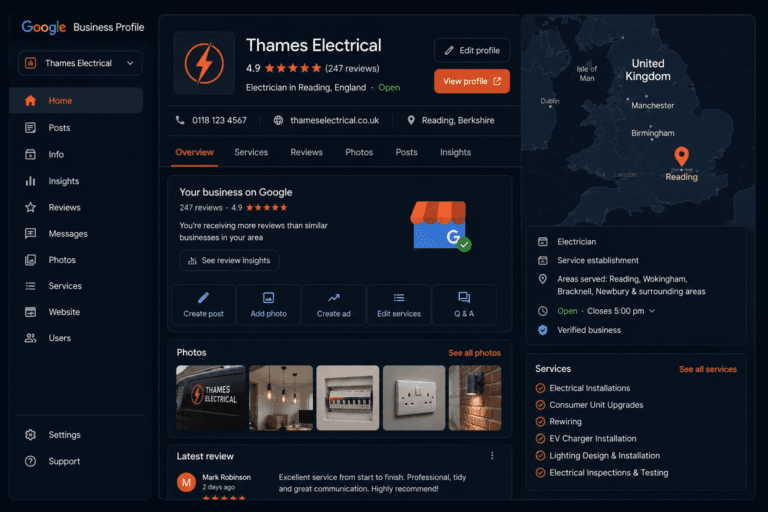
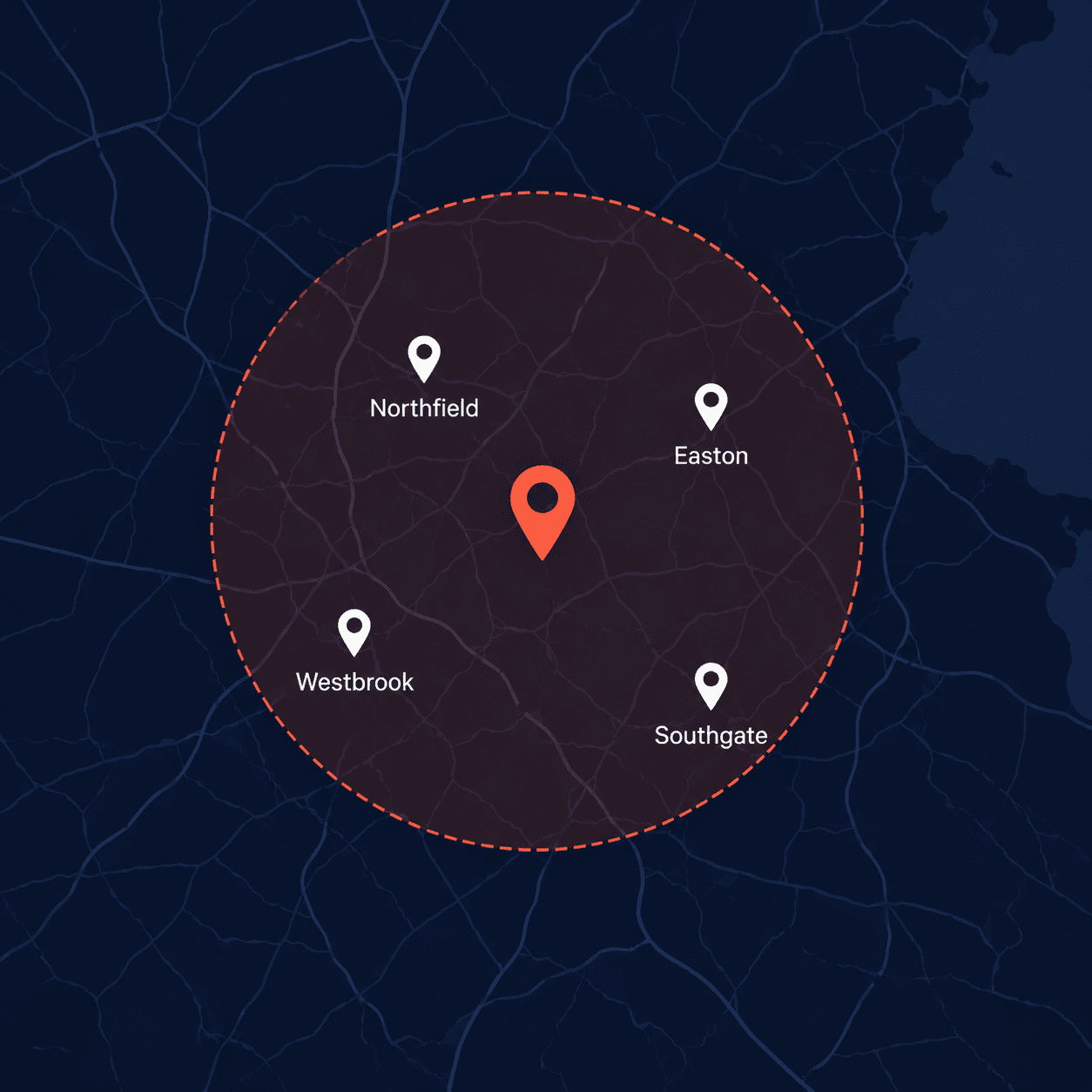
A service area business (SAB) is a Google Business Profile listing for a business that travels to customers rather than operating from a premises they visit. Instead of showing a physical address on Google Maps, you define a service area: the towns, postcodes, or regions you cover.
When someone searches for your trade in one of those areas, Google can show your listing in the results, even though there’s no pin pointing to a fixed address.
This model fits the majority of trades work. Plumbers, electricians, gas engineers, roofers, builders, landscapers, and decorators all typically go to the customer rather than the other way around. A service area business listing reflects how your business actually operates.
What Is a Storefront Listing?
A storefront listing shows a physical address on Google Maps that customers can visit. It’s the right choice for businesses where customers come to you: a tile showroom, a builder’s merchant, a bathroom display centre, or a kitchen design studio.
For a storefront listing, your address appears on your Google Business Profile and on Maps. People can get directions to you, and Google factors your physical location into the searches where location is a key part of the query.
Most tradespeople don’t have a premises customers visit. If you work from a yard, a unit, or your home, a storefront listing is almost certainly the wrong choice.
Which Type Is Right for Tradespeople?
The answer comes down to one question: do customers come to you, or do you go to them?
If you go to them, you’re a service area business. That covers the vast majority of tradespeople in the UK. Plumbers, electricians, gas engineers, roofers, plasterers, painters, builders, landscapers: all service area businesses.
If customers visit a fixed premises you operate from, such as a showroom, a workshop they drop items off to, or a trade counter, then a storefront listing makes sense. You can also combine both: show your address and add a service area on top, for businesses that operate in both ways.
When in doubt, think about how your last ten customers interacted with you. Did any of them come to a premises to meet you, pick something up, or see products on display? If not, you’re a service area business.
Should You Hide Your Address on Google Business Profile?
When you set up as a service area business, Google gives you the option to hide your address. For most tradespeople, hiding your address is the right choice.
Here’s why. Many tradespeople work from home or from a residential address. Displaying that address on a public Google Maps listing means anyone who searches for your business can see where you live. That’s a security concern most people would rather avoid.
Hiding your address doesn’t hurt your ability to rank. Google knows your location from your profile data and uses it when calculating search results. Your customers see your service area rather than a specific address, which is the information they actually need: can this person cover my area?
The only reason to show your address as a service area business is if you genuinely want customers to be able to visit you at that location, for example to pick up quotes, materials, or equipment.
How Your Service Area Affects Your Local Ranking
Your service area tells Google where to show your listing. If you cover Leeds, Bradford, and Wakefield, your listing is eligible to appear when someone in those areas searches for your trade.
A few things to know about how this works in practice.
Keep your service area realistic. Google cross-references your stated service area against where your reviews actually come from. If you list 40 towns but all your reviews mention work in Leeds, Google recognises the inconsistency. An oversized service area can dilute your relevance in the areas where you do most of your work.
Proximity still matters. Even as a service area business, Google factors in the distance between the searcher and the centre of your service area. A business based in Leeds will generally rank better for Leeds searches than a business based in Sheffield that has added Leeds to its service area.
Specificity helps. Adding individual towns and postcodes tends to perform better than adding a broad county or region. “Leeds, Bradford, Wakefield, Harrogate” is more useful to Google than “West Yorkshire”.
For a full picture of how service area settings interact with your wider profile optimisation, see how to optimise your Google Business Profile to rank in the Local Pack.
How to Set or Change Your GBP Type
If you’re setting up for the first time, follow our full setup guide. During setup, Google asks whether you serve customers at a location or travel to them. Choose the option that fits your business.
If you’ve already set up your profile and want to change it:
- Log in at business.google.com
- Click Edit profile
- Go to Location or Service area depending on your current setup
- Update your listing type and add or remove your service area towns
Switching from a storefront to a service area business, or vice versa, can temporarily affect your ranking while Google reprocesses the change. This usually settles within a week or two. Make the change once and leave it.
FAQ
What is a service area business on Google?
A service area business is a Google Business Profile listing for a business that travels to customers rather than operating from a premises customers visit. Instead of showing an address on Google Maps, you set a service area covering the towns, postcodes, or regions you work in.
Should I hide my address on Google Business Profile?
If you work from home or a residential address and don’t want that address visible on Google Maps, yes. Hiding your address doesn’t affect your ability to rank. Your listing will still appear in searches across your service area.
Can I rank in Google without a physical address?
Yes. Service area businesses rank in local search results and the Local Pack without showing a physical address. Google uses your service area settings and the location of your reviews to determine where to show your listing.
What’s the difference between a service area business and a storefront on Google?
A storefront shows a physical address customers can visit. A service area business shows the areas you cover instead. Most tradespeople are service area businesses because they travel to customers rather than operating a premises customers visit.
Can I be both a storefront and a service area business?
Yes. If you have a premises customers visit and also travel to jobs, you can show your address and add a service area. Google supports both on the same listing. Use this option only if customers genuinely visit your location, not just because you have a business address.
How many areas can I add to my service area?
Google allows up to 20 service areas per listing. Use towns, cities, or postcodes rather than broad counties or regions. Be realistic about where you actually work, as overstating your area can dilute your relevance in your core locations.
Does my service area affect which searches I appear in?
Yes. Your service area tells Google where you operate, and Google uses that to decide when to show your listing in local search results. Searches from within your service area are where you’re eligible to appear. Searches outside it are unlikely to show your listing.
The Bottom Line
For the overwhelming majority of UK tradespeople, a service area business listing is the right choice. It reflects how you actually work, it keeps your home address private if you need it to, and it lets you define exactly where you want to win local business.
Set your service area accurately, keep it to the areas you genuinely cover, and hide your address unless there’s a specific reason to show it.
If you haven’t sorted your categories yet, that’s the next thing to get right. See the best Google Business Profile categories for UK tradespeople for a full breakdown by trade.
From Gigi, The Neon Lobster
Want to know exactly where you stand in local search?
We’ll scan your Google Business Profile, your reviews, and your map pack visibility. Then we’ll send you a personalised Local Visibility Report showing what’s working, what’s missing, and what it’s quietly costing you each month. It’s free, it takes two minutes to fill in, and you’ll have your report the same day.
Get My Free Local Visibility Report →No sales call. No obligation. Just honest numbers about where you stand online.