How to Ask Customers for Google Reviews Without Feeling Pushy
How to ask for google reviews tradesperson customers actually respond to comes down to three things: timing, wording and how easy you make it, and none of them require sounding pushy.
The businesses with 80 reviews aren’t better at the job than the ones with 8. They’re just better at asking. This guide gives you the exact words, the right moment and the rules Google sets around asking, so you can build the habit without it feeling like a sales pitch.
TL;DR
Ask every customer, not just the ones you think were happy. Ask straight after the job while it’s fresh, using a text message with a direct link, and follow up once if you don’t hear back. Never offer money or discounts for a review, and never ask only your best customers, both break Google’s rules.
Contents
- Why asking feels awkward (and why it shouldn’t)
- How to ask for a Google review, step by step
- When to ask (and when not to)
- Review request scripts you can actually use
- What Google allows and what it doesn’t
- What to do if a customer says no
- FAQ
Why Asking Feels Awkward (And Why It Shouldn’t)
Most tradespeople avoid asking for reviews because it feels like asking for a favour. It isn’t. You did the job, the customer’s happy, and a review takes them fifteen seconds. You’re not asking them to do you a favour, you’re asking them to tell the truth in public.
The tradespeople who get this right treat the ask as part of finishing the job, the same as handing over an invoice or clearing up your tools. It’s not a separate, awkward conversation. It’s one more step in a job well done.
According to BrightLocal’s 2025 Local Consumer Review Survey, 40% of consumers said they’d be most likely to leave a review if asked by email, and a further 27% said an in-person ask would get them to do it. Customers are already willing. The gap is that most tradespeople never ask at all.
How to Ask for Google Reviews as a Tradesperson, Step by Step
- Get your direct review link first. Go to your Google Business Profile, find the “Ask for reviews” or “Get more reviews” button, and copy the short link Google generates. This takes the customer straight to the star rating screen, no searching required.
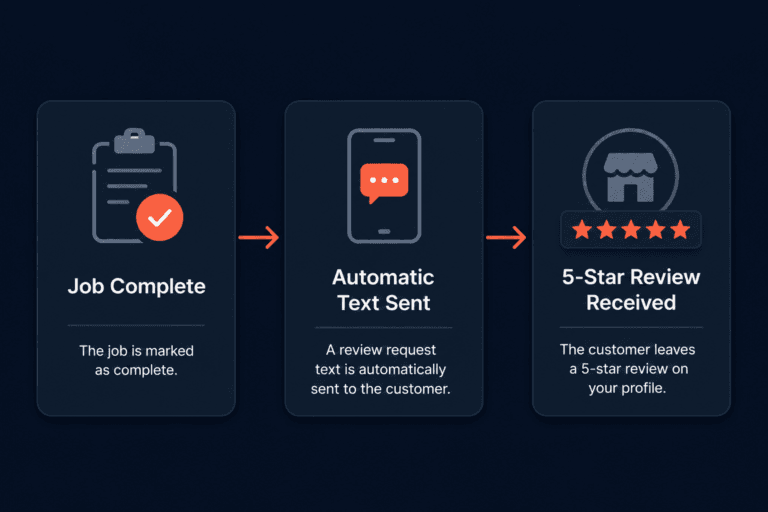
- Ask at the right moment. The best time is the moment the job’s finished and the customer has just seen the results, not three weeks later when the memory’s faded. See the next section for exactly when.
- Send the ask yourself, personally. A text from your own number or a quick word before you leave gets a far better response than a generic automated email from a system the customer’s never heard of.
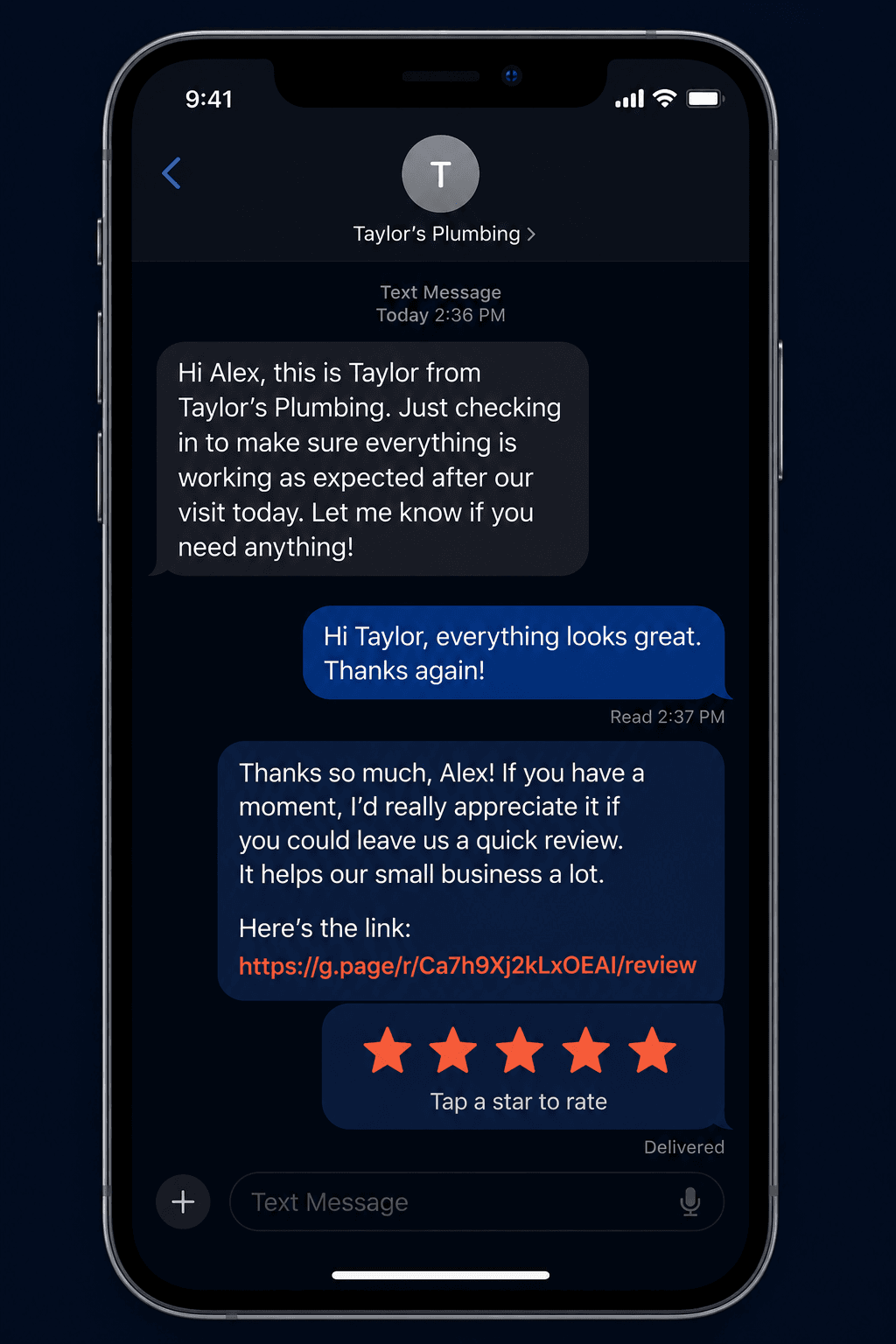
- Include the direct link. Don’t make the customer search for your business. Paste the link straight into the message so all they have to do is tap it and type.
- Follow up once if you hear nothing. A single friendly follow-up a few days later, not a chase, roughly doubles your response rate compared to asking only once.
- Say thank you when it lands. Reply to the review once it’s up, even with a short thank you. It shows future customers you’re paying attention.
When to Ask (And When Not To)
Timing matters more than wording. Ask too early and the customer hasn’t had time to notice the result. Ask too late and they’ve moved on and forgotten the details.
For most trade jobs, the best moment is immediately after you’ve shown the customer the finished work and they’ve said something positive, even something small like “that’s great, thanks.” That’s the window. Ask there, in person if you can, or by text within the hour.
For bigger jobs like a full bathroom install or a rewire, it’s worth asking again a week or two later once they’ve lived with the result and had the chance to notice how well it’s holding up.
Avoid asking during the job, before payment, or in the middle of sorting out a snag. None of those moments put the customer in the right frame of mind to write something positive.
Review Request Scripts You Can Actually Use
You don’t need a polished script, you need something that sounds like you. Here’s how the main methods compare:
| Method | Response Rate | Best For |
|---|---|---|
| Text message with direct link | High | Most trade jobs, sent same day |
| In-person ask | Medium to high | Small jobs, quick call-outs |
| Email with direct link | Medium | Bigger jobs, older customers |
| Automated system (no personal touch) | Low to medium | High job volume, needs a personal follow-up to work well |
A simple text message script: “Hi [name], glad we got that sorted for you today. If you’ve got 30 seconds, a Google review would really help other people in [town] find us: [link]. Thanks again.”
An in-person script, said as you’re packing up: “If you’re happy with how it’s gone, a quick Google review makes a real difference for us, it takes about 15 seconds. I’ll text you the link if that’s easier.”
Keep it short. The longer the ask, the more it starts to feel like a pitch rather than a favour between two people who just did business.
What Google Allows and What It Doesn’t
Google’s review policy is specific about what counts as a fair ask versus a manipulated one, and breaking it can get reviews removed or your profile suspended.
Allowed: asking every customer, using a direct link, asking by text, email or in person, and reminding customers who haven’t responded.
Not allowed: offering money, discounts or free work in exchange for a review. Asking only customers you’re confident were happy and skipping the ones who weren’t, a practice called review gating. Writing reviews yourself or asking staff and family to post them. Buying reviews from a third party.
The safest rule to follow is simple: ask everyone the same way, every time, with nothing attached to the outcome. It keeps you inside Google’s rules and it’s also just the more honest approach.
What to Do If a Customer Says No
Most customers won’t say no outright, they’ll just not get round to it. Don’t chase past one polite follow-up. Pushing harder after that is where asking starts to feel pushy, and it isn’t worth the awkwardness over a single review.
If a customer actively declines or seems reluctant, let it go without comment. There’ll be another job and another customer next week. The businesses with strong review counts get there through consistent, low-pressure asking across hundreds of jobs, not by pressuring any one customer.
If you want to see how your current review count and rating compare to the businesses ranking above you, read why Google reviews are the most valuable asset for a UK tradesperson for the full picture on how reviews affect your ranking.
FAQ
How do I get more Google reviews as a tradesperson?
Ask every customer, straight after the job, using a direct link to your Google review page. Send it yourself by text or email rather than relying only on an automated system, and follow up once if you don’t hear back.
What’s the best way to ask for a review?
A short, personal text message sent the same day as the job, with a direct link included, gets the best response for most trade businesses. Keep the message under a few sentences and make it easy to say yes.
Can I ask customers to leave a review?
Yes. Google allows you to ask directly, as long as you ask every customer the same way and don’t offer anything in exchange. You can’t offer discounts or payment for reviews, and you can’t selectively ask only the customers you expect to leave a good one.
Is it OK to remind a customer who hasn’t left a review?
Yes, one follow-up is fine and often doubles your response rate. Keep it friendly rather than repeated, and stop after one reminder if there’s still no response.
Should I offer a discount for a review?
No. Offering money, discounts or free work in exchange for a review breaks Google’s review policy and can get reviews removed or your profile suspended. Ask without any incentive attached.
Do text messages work better than email for review requests?
For most trade businesses, yes. A same-day text with a direct link feels personal and immediate. Email works too, particularly for bigger jobs, but response rates are generally lower than a direct text from the person who did the work.
The Bottom Line
Knowing how to ask for google reviews tradesperson customers actually respond to isn’t about a clever script, it’s about asking every single customer, at the right moment, with a direct link that makes it effortless. Do that consistently and the reviews build themselves.
If you want to know how your current review count stacks up against the competitors ranking above you in your area, I offer a free Local Visibility Report that shows you exactly where the gap is.
Ready to see how visible your business actually is?
Get your free Local Visibility Report at neonlobster.ai/local-visibility-report/ and I’ll show you where you stand and what it would take to improve it.
From Gigi, The Neon Lobster
Want to know exactly where you stand in local search?
We’ll scan your Google Business Profile, your reviews, and your map pack visibility. Then we’ll send you a personalised Local Visibility Report showing what’s working, what’s missing, and what it’s quietly costing you each month. It’s free, it takes two minutes to fill in, and you’ll have your report the same day.
Get My Free Local Visibility Report →No sales call. No obligation. Just honest numbers about where you stand online.